PRODUCT INFORMATION

How to Transfer DEAD OR ALIVE 6 DLC & Saved Data

Transferring DLC

Most previously purchased DEAD OR ALIVE 6 costumes can be transferred to DEAD OR ALIVE 6 Last Round.

  • For detailed information on which data is transferrable, see DEAD OR ALIVE 6 DLC & Save Data Carry-Over.
  • Saved data and DLC can only be transferred from the same account.
  • Transferring DLC requires an active network connection (PlayStation™Network, XBOX Network, Steam®).
  • DLC purchased for DEAD OR ALIVE 6 Last Round cannot be transferred to DEAD OR ALIVE 6.

PlayStation®5


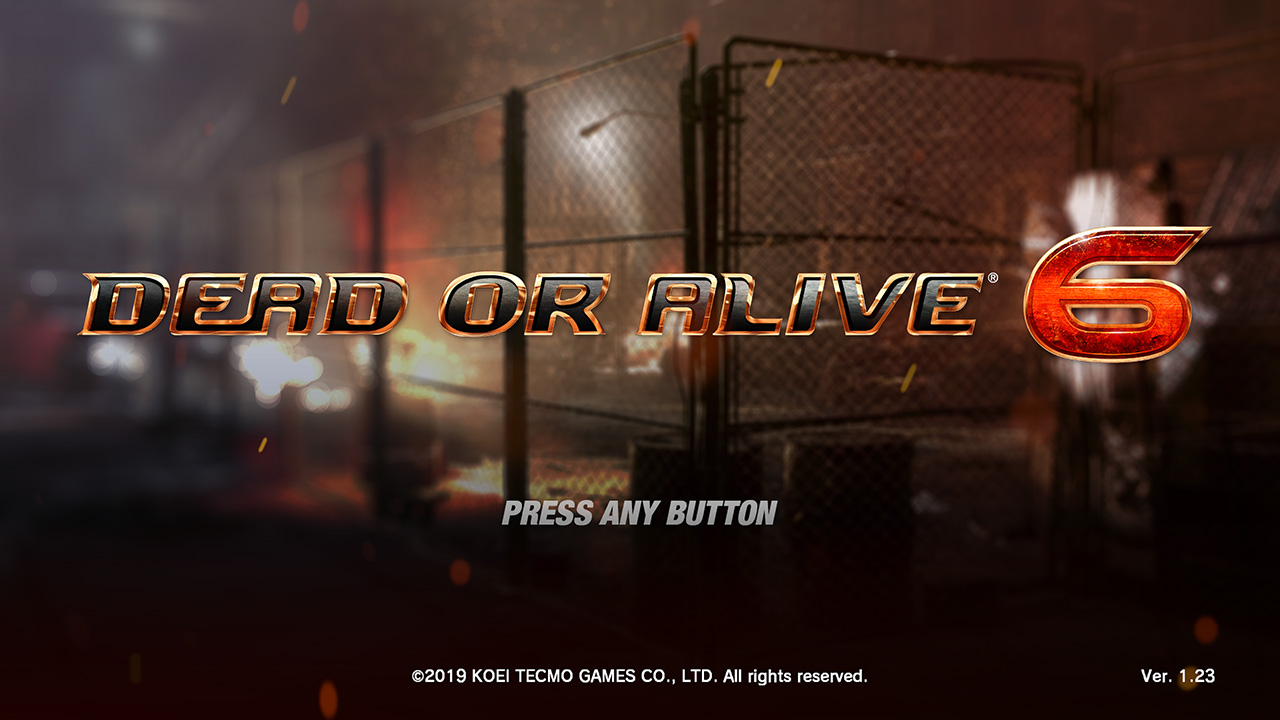
The PlayStation®4 version of DEAD OR ALIVE 6 must be updated to enable DLC transfer.

  • Install the update for DEAD OR ALIVE 6. The correct version is Ver.1.23.
    HOW TO TRANSFER 00
  • Ensure you are signed into the PlayStation™Network, then start the game application for DEAD OR ALIVE 6 and proceed to the Main Menu to upload your DLC data.
  • While signed in to the same account, start the game application for DEAD OR ALIVE 6 Last Round. The DLC linked to that account will automatically transfer.
  • You do not need to install the PlayStation®4 DEAD OR ALIVE 6 DLC.
  • DLC costumes purchased for the PlayStation®4 version of DEAD OR ALIVE 6 purchased at a later date can be transferred to the PlayStation®5 DEAD OR ALIVE 6 LAST ROUND via the same methods listed above.
  • If you no longer have or are unable to access your physical copy of PlayStation®4 DEAD OR ALIVE 6, you can download the free-to-play DEAD OR ALIVE 6: Core Fighters game application to upload your DLC data for transfer to the PlayStation®5 DEAD OR ALIVE 6 LAST ROUND.

XBOX Series X|S


Using the same account used for DEAD OR ALIVE 6, start the game application for DEAD OR ALIVE 6 Last Round. The DLC linked to that account will then automatically transfer.

  • On XBOX Series X|S, you must install your DEAD OR ALIVE 6 DLC before you are able to use it in DEAD OR ALIVE 6 Last Round.

Steam®


Using the same account used for DEAD OR ALIVE 6, start the game application for DEAD OR ALIVE 6 Last Round. The DLC linked to that account will then automatically transfer.

Transferring Saved Data

DEAD OR ALIVE 6 saved data, including game progression and items, can be transferred to DEAD OR ALIVE 6 Last Round.


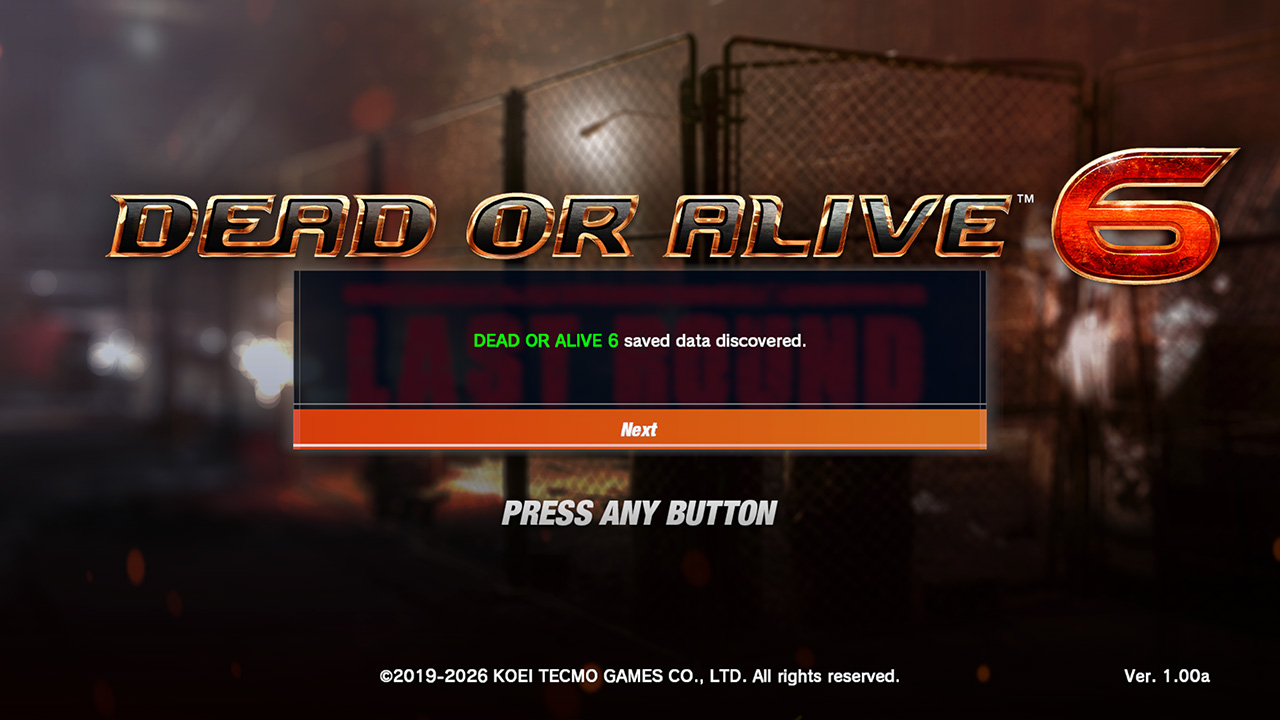
  • STEP 01

    The game will automatically detect transferrable saved data. After reaching the title screen, a message will be displayed asking if you want to transfer the saved data.
    HOW TO TRANSFER 01
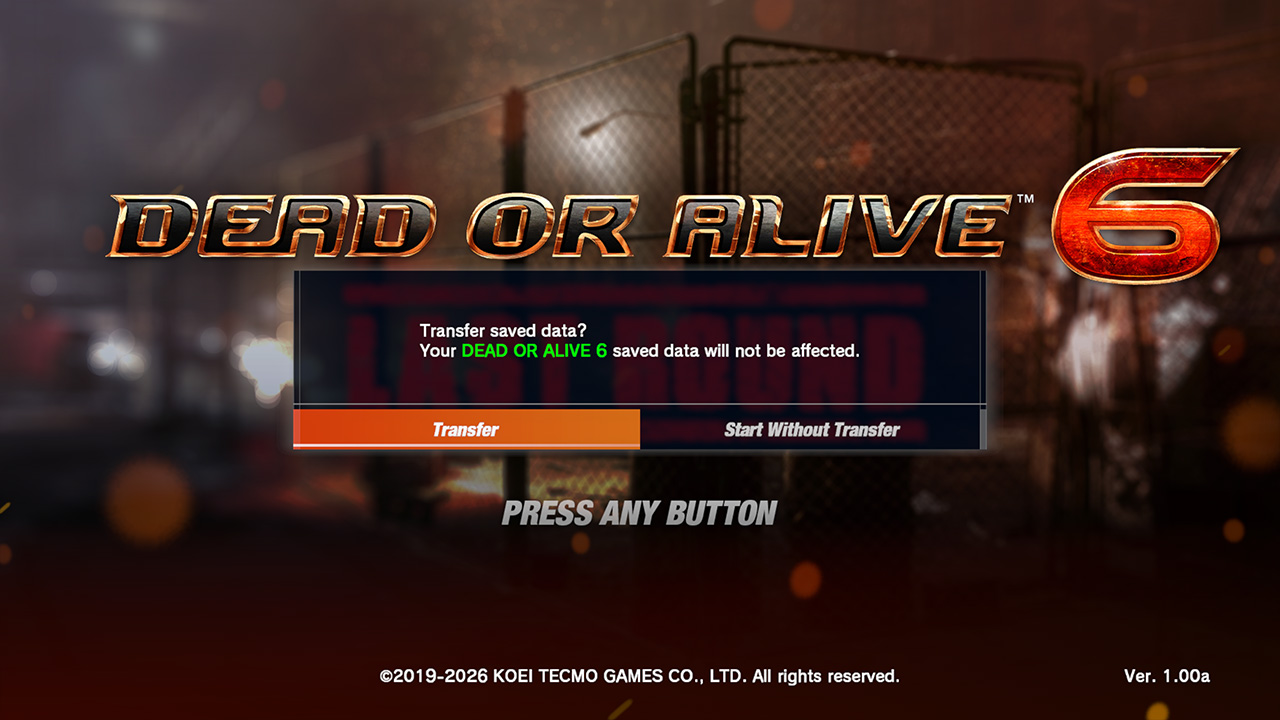
  • STEP 02

    Select “Transfer”. The saved data will then be transferred to DEAD OR ALIVE 6 Last Round.
    HOW TO TRANSFER 02
  • STEP 03
    HOW TO TRANSFER 03
    • Screenshots are of the Steam® version.
    • Saved data and DLC can only be transferred from the same account.
    • You cannot transfer saved data if you have already created saved data for DEAD OR ALIVE 6 Last Round.
      If you want to transfer saved data, you must first delete any existing saved data for DEAD OR ALIVE 6 Last Round.
    • You cannot transfer saved data from DEAD OR ALIVE 6 Last Round to DEAD OR ALIVE 6.

PlayStation®5


■ Transferring on the same PlayStation®5 console

DEAD OR ALIVE 6 Last Round will automatically detect DEAD OR ALIVE 6 saved data stored on the same device.
After starting the game application, a message will ask you if you want to transfer the saved data.
Select “Transfer”. The saved data will then be transferred to DEAD OR ALIVE 6 Last Round.


■ Transferring from a different PlayStation®5 console

Transfer the saved data from the previous console to the PlayStation®5 console via the cloud storage connected to your PlayStation®Plus account.
After transferring the data to the PlayStation®5 console, start the game application for DEAD OR ALIVE 6 Last Round.
The game will automatically detect the DEAD OR ALIVE 6 saved data.

  • You cannot transfer data from another PlayStation®5 via USB storage.

■ Transferring from PlayStation®4

Transfer the saved data from the PlayStation®4 console to the PlayStation®5 console via USB storage or the cloud storage connected to your PlayStation®Plus account.
After transferring the data to the PlayStation®5 console, start the game application for DEAD OR ALIVE 6 Last Round.
The game will automatically detect the DEAD OR ALIVE 6 saved data.

XBOX Series X|S


■ Transferring on the same XBOX Series X|S console

Ensure you are signed in to the same XBOX account used for DEAD OR ALIVE 6, then start the game application for DEAD OR ALIVE 6 Last Round.
A message will ask you if you want to transfer the saved data.
Select “Transfer”. The saved data will then be transferred to DEAD OR ALIVE 6 Last Round.


■ Transferring from a different console (XBOX One, XBOX Series X|S)

An active connection to the XBOX Network is required to transfer data from DEAD OR ALIVE 6 to DEAD OR ALIVE 6 Last Round.
Saved data will transfer automatically via the XBOX Network so long as you are signed in to the same XBOX account used for DEAD OR ALIVE 6.

Steam®


■ Transferring from the same PC

Install DEAD OR ALIVE 6 Last Round on the same PC where the DEAD OR ALIVE 6 saved data is stored.
After starting the game application, a message will ask you if you want to transfer the saved data.
Select “Transfer”. The saved data will then be transferred to DEAD OR ALIVE 6 Last Round.


■ Transferring from a different PC

  • ● Via Steam® Cloud:

    • On the DEAD OR ALIVE 6 PC, open your Steam® client settings, then navigate to Cloud. Ensure “Enable Steam® Cloud” is turned ON.
    • Start the game application for DEAD OR ALIVE 6 and proceed to the Main Menu.
    • On the new PC, open your Steam® client settings, then navigate to Cloud and check that “Enable Steam® Cloud” is turned ON.
    • Start the game application for DEAD OR ALIVE 6 and proceed to the Main Menu to ensure that the saved data downloads from the Steam® Cloud.
    • On the new PC, start the game application for DEAD OR ALIVE 6 Last Round.
  • ● Via USB storage device:

    • Copy the folder containing your DEAD OR ALIVE 6 saved data to the USB storage device, then transfer the folder to the same location on the new PC.
      \Users\(Your Username)\Documents\KoeiTecmo\DEADORALIVE6
    • On the new PC, start the game application for DEAD OR ALIVE 6 Last Round.

DEAD OR ALIVE 6 DLC & Save Data Carry-Over

◯… Can be carried over △… Limited carry-over ✕… Cannot be carried over


Item Standard version Free-to-play version / Core Fighters Notes
DLC Costumes Previously purchased costumes can be carried over.
You must have an Unlock Key for the character to use any carried-over costumes.
Costumes
(collaboration characters)
DLC Costumes for Mai Shiranui and Kula Diamond cannot be carried over.
Additional characters 1 The Standard version comes with 29 playable characters.
Separate Unlock Keys are required to play Mai Shiranui and Kula Diamond.
2 The free-to-play Core Fighters version comes with 4 playable characters: Kasumi, Marie Rose, Honoka, and NiCO.
Premium Tickets Premium Tickets from DEAD OR ALIVE 6 (PlayStation®4) cannot be used in this title.
Hair color change Hair color cannot be changed.
Save data Owned items Costumes
Hairstyle
Glasses
Titles Some collaboration titles cannot be carried over.
BGM
Game progression Story
DOA Quest
Tutorial
Command Training
Combo Training
DOA Encyclopedia
Trivia
User data Ranking
Ranking Points
Fighter Level
Fighter Points
Player Points Owned costumes, hairstyles, glasses, titles and BGMs can be carried over.
Pattern parts Owned costumes can be carried over.
Fight Records
Fight Trends
Options Option settings
Closet Costume settings
Replays

Notes:
- Save data and DLC costumes can be carried over from DEAD OR ALIVE 6: Core Fighters.
- DLC Costumes for Mai Shiranui and Kula Diamond cannot be carried over.
- There is no crossplay between DEAD OR ALIVE 6 and DEAD OR ALIVE 6 Last Round.