PRODUCT INFORMATION

How to Transfer DEAD OR ALIVE 6 DLC & Saved Data

Transferring DLC

Most previously purchased DEAD OR ALIVE 6 costumes can be transferred to DEAD OR ALIVE 6 Last Round.

  • For detailed information on which data is transferrable, see DEAD OR ALIVE 6 DLC & Save Data Carry-Over.
  • Saved data and DLC can only be transferred from the same account.
  • Transferring DLC requires an active network connection (PlayStation™Network, XBOX Network, Steam®).
  • DLC purchased for DEAD OR ALIVE 6 Last Round cannot be transferred to DEAD OR ALIVE 6.

PlayStation®5


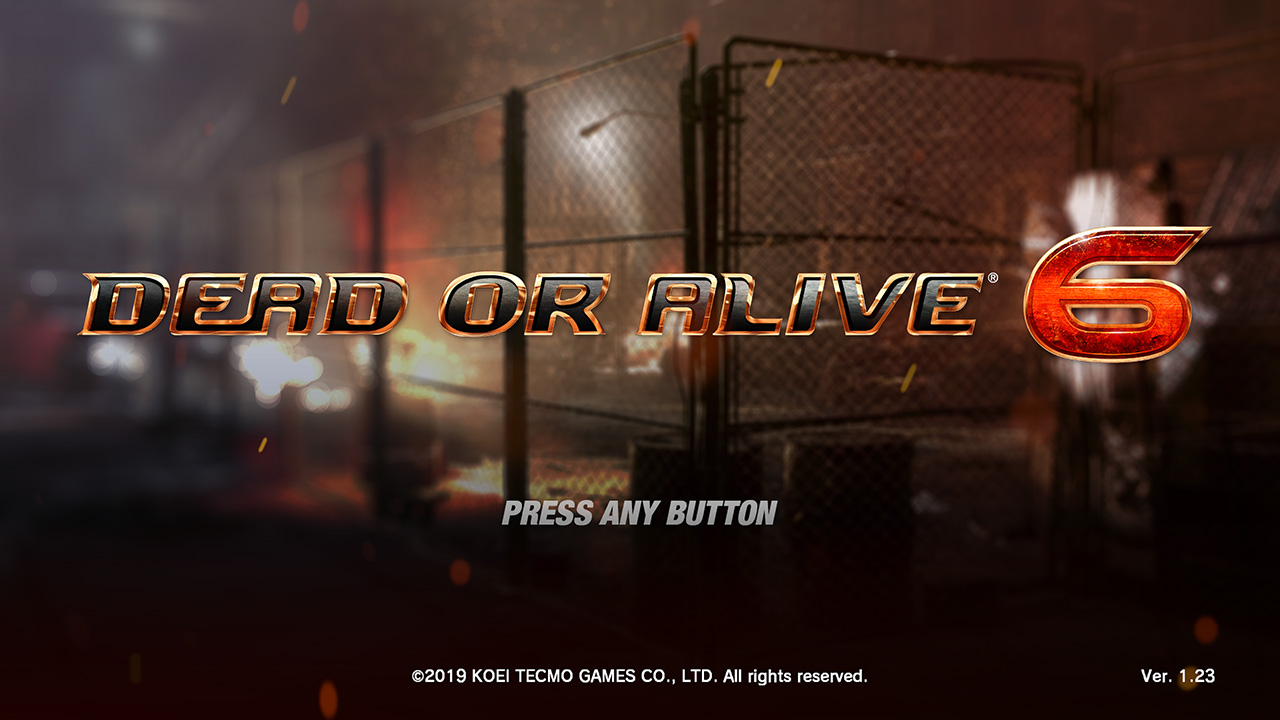
The PlayStation®4 version of DEAD OR ALIVE 6 must be updated to enable DLC transfer.

  • Install the update for DEAD OR ALIVE 6. The correct version is Ver.1.23.
    HOW TO TRANSFER 00
  • Ensure you are signed into the PlayStation™Network, then start the game application for DEAD OR ALIVE 6 and proceed to the Main Menu to upload your DLC data.
  • While signed in to the same account, start the game application for DEAD OR ALIVE 6 Last Round. The DLC linked to that account will automatically transfer.
  • You do not need to install the PlayStation®4 DEAD OR ALIVE 6 DLC.
  • DLC costumes purchased for the PlayStation®4 version of DEAD OR ALIVE 6 purchased at a later date can be transferred to the PlayStation®5 DEAD OR ALIVE 6 LAST ROUND via the same methods listed above.
  • If you no longer have or are unable to access your physical copy of PlayStation®4 DEAD OR ALIVE 6, you can download the free-to-play DEAD OR ALIVE 6: Core Fighters game application to upload your DLC data for transfer to the PlayStation®5 DEAD OR ALIVE 6 LAST ROUND.

XBOX Series X|S


Using the same account used for DEAD OR ALIVE 6, start the game application for DEAD OR ALIVE 6 Last Round. The DLC linked to that account will then automatically transfer.

  • On XBOX Series X|S, you must install your DEAD OR ALIVE 6 DLC before you are able to use it in DEAD OR ALIVE 6 Last Round.

Steam®


Using the same account used for DEAD OR ALIVE 6, start the game application for DEAD OR ALIVE 6 Last Round. The DLC linked to that account will then automatically transfer.

Transferring Saved Data

DEAD OR ALIVE 6 saved data, including game progression and items, can be transferred to DEAD OR ALIVE 6 Last Round.


  • STEP 01

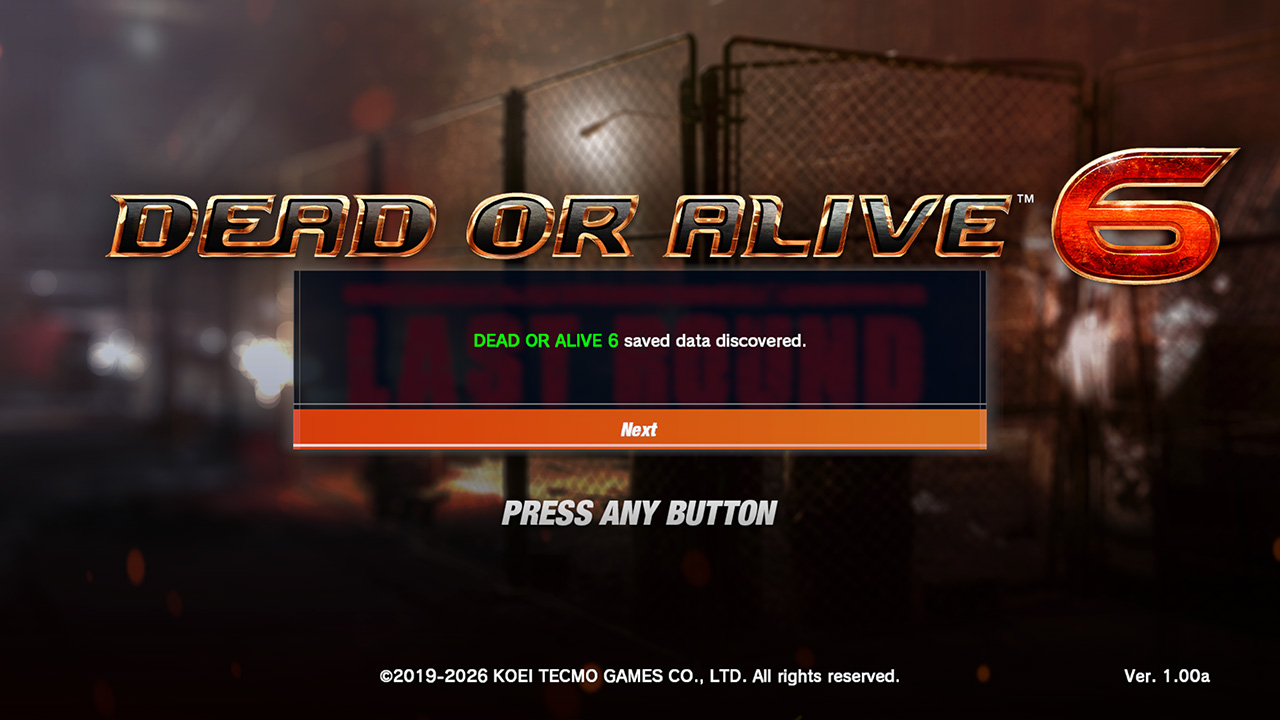
    The game will automatically detect transferrable saved data. After reaching the title screen, a message will be displayed asking if you want to transfer the saved data.
    HOW TO TRANSFER 01
  • STEP 02

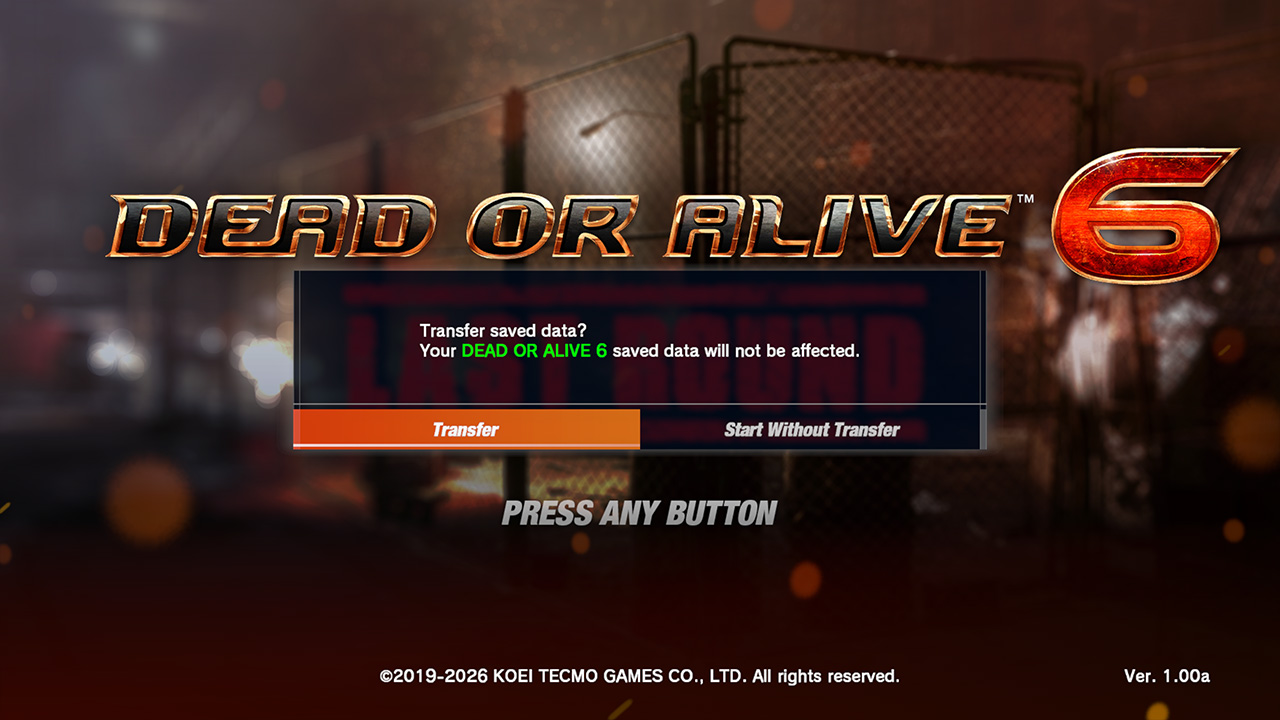
    Select “Transfer”. The saved data will then be transferred to DEAD OR ALIVE 6 Last Round.
    HOW TO TRANSFER 02
  • STEP 03
    HOW TO TRANSFER 03
    • Screenshots are of the Steam® version.
    • Saved data and DLC can only be transferred from the same account.
    • You cannot transfer saved data if you have already created saved data for DEAD OR ALIVE 6 Last Round.
      If you want to transfer saved data, you must first delete any existing saved data for DEAD OR ALIVE 6 Last Round.
    • You cannot transfer saved data from DEAD OR ALIVE 6 Last Round to DEAD OR ALIVE 6.

PlayStation®5


■ Transferring on the same PlayStation®5 console

DEAD OR ALIVE 6 Last Round will automatically detect DEAD OR ALIVE 6 saved data stored on the same device.
After starting the game application, a message will ask you if you want to transfer the saved data.
Select “Transfer”. The saved data will then be transferred to DEAD OR ALIVE 6 Last Round.


■ Transferring from a different PlayStation®5 console

Transfer the saved data from the previous console to the PlayStation®5 console via the cloud storage connected to your PlayStation®Plus account.
After transferring the data to the PlayStation®5 console, start the game application for DEAD OR ALIVE 6 Last Round.
The game will automatically detect the DEAD OR ALIVE 6 saved data.

  • You cannot transfer data from another PlayStation®5 via USB storage.

■ Transferring from PlayStation®4

Transfer the saved data from the PlayStation®4 console to the PlayStation®5 console via USB storage or the cloud storage connected to your PlayStation®Plus account.
After transferring the data to the PlayStation®5 console, start the game application for DEAD OR ALIVE 6 Last Round.
The game will automatically detect the DEAD OR ALIVE 6 saved data.

XBOX Series X|S


■ Transferring on the same XBOX Series X|S console

Ensure you are signed in to the same XBOX account used for DEAD OR ALIVE 6, then start the game application for DEAD OR ALIVE 6 Last Round.
A message will ask you if you want to transfer the saved data.
Select “Transfer”. The saved data will then be transferred to DEAD OR ALIVE 6 Last Round.


■ Transferring from a different console (XBOX One, XBOX Series X|S)

An active connection to the XBOX Network is required to transfer data from DEAD OR ALIVE 6 to DEAD OR ALIVE 6 Last Round.
Saved data will transfer automatically via the XBOX Network so long as you are signed in to the same XBOX account used for DEAD OR ALIVE 6.

Steam®


■ Transferring from the same PC

Install DEAD OR ALIVE 6 Last Round on the same PC where the DEAD OR ALIVE 6 saved data is stored.
After starting the game application, a message will ask you if you want to transfer the saved data.
Select “Transfer”. The saved data will then be transferred to DEAD OR ALIVE 6 Last Round.


■ Transferring from a different PC

  • ● Via Steam® Cloud:

    • On the DEAD OR ALIVE 6 PC, open your Steam® client settings, then navigate to Cloud. Ensure “Enable Steam® Cloud” is turned ON.
    • Start the game application for DEAD OR ALIVE 6 and proceed to the Main Menu.
    • On the new PC, open your Steam® client settings, then navigate to Cloud and check that “Enable Steam® Cloud” is turned ON.
    • Start the game application for DEAD OR ALIVE 6 and proceed to the Main Menu to ensure that the saved data downloads from the Steam® Cloud.
    • On the new PC, start the game application for DEAD OR ALIVE 6 Last Round.
  • ● Via USB storage device:

    • Copy the folder containing your DEAD OR ALIVE 6 saved data to the USB storage device, then transfer the folder to the same location on the new PC.
      \Users\(Your Username)\Documents\KoeiTecmo\DEADORALIVE6
    • On the new PC, start the game application for DEAD OR ALIVE 6 Last Round.

DEAD OR ALIVE 6 DLC & Save Data Carry-Over

◯… Can be carried over △… Limited carry-over ✕… Cannot be carried over


Item Standard version Free-to-play version / Core Fighters Notes
DLC Costumes 〇 〇 Previously purchased costumes can be carried over.
You must have an Unlock Key for the character to use any carried-over costumes.
Costumes
(collaboration characters)
✕ ✕ DLC Costumes for Mai Shiranui and Kula Diamond cannot be carried over.
Additional characters ✕ ✕ 1 The Standard version comes with 29 playable characters.
Separate Unlock Keys are required to play Mai Shiranui and Kula Diamond.
2 The free-to-play Core Fighters version comes with 4 playable characters: Kasumi, Marie Rose, Honoka, and NiCO.
Premium Tickets ✕ ✕ Premium Tickets from DEAD OR ALIVE 6 (PlayStation®4) cannot be used in this title.
Hair color change ✕ ✕ Hair color cannot be changed.
Save data Owned items Costumes 〇 〇
Hairstyle 〇 〇
Glasses 〇 〇
Titles △ △ Some collaboration titles cannot be carried over.
BGM 〇 〇
Game progression Story 〇 〇
DOA Quest 〇 〇
Tutorial 〇 〇
Command Training 〇 〇
Combo Training 〇 〇
DOA Encyclopedia 〇 〇
Trivia 〇 〇
User data Ranking ✕ ✕
Ranking Points ✕ ✕
Fighter Level ✕ ✕
Fighter Points ✕ ✕
Player Points ✕ ✕ Owned costumes, hairstyles, glasses, titles and BGMs can be carried over.
Pattern parts ✕ ✕ Owned costumes can be carried over.
Fight Records ✕ ✕
Fight Trends ✕ ✕
Options Option settings ✕ ✕
Closet Costume settings ✕ ✕
Replays ✕ ✕

Notes:
- Save data and DLC costumes can be carried over from DEAD OR ALIVE 6: Core Fighters.
- DLC Costumes for Mai Shiranui and Kula Diamond cannot be carried over.
- There is no crossplay between DEAD OR ALIVE 6 and DEAD OR ALIVE 6 Last Round.